Still posting manually on Instagram every single day?

That’s one of the biggest time drains for creators and businesses in 2025. Learning how to schedule posts on Instagram lets you plan a full week of content in one sitting, post at peak engagement times automatically, and focus on growing — not just posting. This guide covers every method — native and third-party — plus the scheduling strategy that separates fast-growing accounts from stagnant ones.
Can You Schedule Posts on Instagram? (The Real Answer in 2026)
Yes — and the native capability is more powerful than most users realize. Instagram has built scheduling directly into the platform for professional accounts, eliminating the need for third-party tools for basic scheduling needs.
Native Instagram Scheduling – What Your Professional Account Can Do
Instagram’s native scheduling is available exclusively to Business and Creator accounts — not personal profiles. If you’re still on a personal account, switch to a Professional Account first — it’s free and takes under a minute.
What native Instagram scheduling gives you:
- Schedule up to 75 days in advance — confirmed by Instagram’s official Help Center at help.instagram.com/439971288310029
- Mobile scheduling via the Instagram app on iOS and Android
- Desktop scheduling via Meta Business Suite and Meta Planner
- Edit or delete scheduled posts before they go live — full flexibility
- No third-party tool required for feed posts, Reels, and carousels
According to Instagram’s official Help Center, scheduled posts go live automatically at your chosen time without any manual action needed. Your phone doesn’t need to be on. It’s fully automated. For more info: How to Make Life in Little Alchemy – Secret Combo Revealed
What You Can & Cannot Schedule Natively (Reels, Stories, Carousels & Live)
Not all Instagram content types support native scheduling. This is the detail most guides gloss over — and it directly affects your content strategy.
| Content Type | Native Scheduling | Requires Third-Party Tool |
| Feed Posts (single image) | ✅ Yes — up to 75 days | Optional |
| Carousels (multi-image) | ✅ Yes — natively supported | Optional |
| Reels | ✅ Yes — as of recent update | Optional |
| Stories | ⚠️ Via Meta Business Suite only | Later, Sprout Social, SocialBee |
| Instagram Live | ❌ Cannot be scheduled | Not possible with any tool |
| Broadcast Channels | ❌ Not schedulable | Not supported |
Stories scheduling reality: Native Stories scheduling is only available through Meta Business Suite on desktop — not through the Instagram app itself. If you schedule Stories regularly, tools like Later, Sprout Social, or SocialBee offer a far smoother workflow.
Does Scheduling Hurt Instagram Reach? (The Algorithm Truth)
This is the most debated question in Reddit r/InstagramMarketing — and the answer is clear: No, scheduling does not hurt your Instagram reach.
Instagram’s algorithm evaluates posts based on engagement signals, content quality, and relevance — not on whether you used a scheduler. Meta has officially confirmed through the Facebook Business Help Center that using the Instagram API (which third-party tools use) does not negatively affect distribution.
The real risk isn’t scheduling — it’s bad timing. A post scheduled for 3 AM, when your audience is asleep, will underperform. A post scheduled at 9 AM on Tuesday, when engagement peaks, will outperform a manually posted equivalent. Scheduling done right actually improves reach — not hurts it.
How to Schedule Instagram Posts – Step-by-Step (Native & Desktop)
Here are the exact steps for scheduling Instagram posts natively — no paid tools required. This works for feed posts, Reels, and carousels.
How to Schedule Posts Directly in the Instagram App
This is the fastest method for mobile-first creators. No desktop needed.
Steps to schedule an Instagram post from the app:
- Open the Instagram app and tap the + icon to create a new post
- Select your photo, video, or Reel and complete all edits, captions, and hashtags
- On the final screen before sharing, tap “Advanced Settings.”
- Toggle on “Schedule This Post”
- Select your date and time — up to 75 days in advance
- Tap “Schedule” — your post is now queued and will auto-publish
- To view, edit, or delete scheduled posts: go to your Profile → Menu → Scheduled Content
Important: You must have a Professional (Business or Creator) account to see the Schedule option. If “Advanced Settings” doesn’t show the scheduling toggle, your account is still set to Personal — switch it in Settings.
How to Schedule Instagram Posts via Meta Business Suite (Desktop)
Prefer to work from a computer? Meta Business Suite gives you the most powerful native scheduling experience — including Stories.
Steps to schedule via Meta Business Suite:
- Go to business.facebook.com and log in with your Meta account
- Select your Instagram account from the left panel
- Click “Create Post” or open the Meta Planner calendar view
- Upload your content — image, video, carousel, or Story
- Write your caption (up to 2,200 characters) and add hashtags
- Click the “Schedule” dropdown instead of “Publish.”
- Set your date and time, then confirm — post is queued in the Meta Planner calendar
- View all upcoming posts in the visual content calendar — drag to reschedule if needed
Meta Business Suite advantage: You can schedule Instagram and Facebook simultaneously from one interface. One piece of content, two platforms, one scheduling action. This alone saves significant time for brands managing both channels.
How to Schedule Instagram Reels & Carousels Natively
Both Reels and Carousels can now be scheduled natively — a significant upgrade Instagram has rolled out over recent updates.
Scheduling Reels natively:
- Create your Reel normally within the Instagram app
- Before hitting Share, tap “Advanced Settings.”
- Select “Schedule This Reel” and choose your date and time
- Reels scheduled natively publish with full Explore page eligibility — no reach penalty
Scheduling Carousels natively:
- Select multiple images/videos when creating a post (up to 10 slides)
- Complete captions and edits, then tap “Advanced Settings.”
- Toggle “Schedule This Post” and set your time
- All slides are published together automatically at the scheduled time
Pro tip from Sprout Social’s Instagram guide: For Reels specifically, schedule during peak Reels discovery windows — typically Tuesday through Thursday between 9 AM and 12 PM in your target audience’s time zone.
Best Instagram Scheduling Tools – Free & Paid Compared
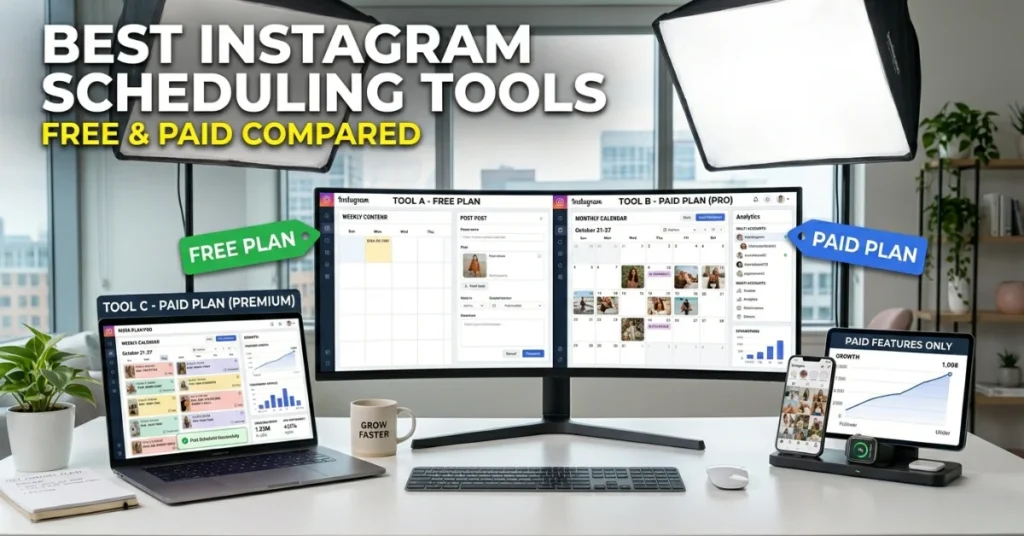
Native scheduling covers the basics. But if you manage multiple accounts, need team collaboration, or want AI-powered best-time recommendations, third-party tools deliver meaningfully more.
Sprout Social, Later & SocialBee – Best for Creators & Businesses
Sprout Social:
- Best for: Medium to large businesses and agencies
- Key feature: Advanced analytics + ViralPost technology — AI determines the exact best publish time per account
- Scheduling capability: Feed, Reels, Stories, Carousels — all content types
- Team features: Approval workflows, shared content calendar, role-based access
- Pricing: Starts at $249/month — enterprise-level investment
Later:
- Best for: Visual creators, influencers, and small-to-medium brands
- Key feature: Drag-and-drop visual content calendar + Link in Bio landing page builder
- Scheduling capability: Feed, Reels, Stories — with Stories push notification option
- Unique advantage: Later’s Link in Bio tool turns your bio link into a clickable content feed
- Pricing: Free plan available; paid from $18/month
SocialBee:
- Best for: Creators who want content recycling and category-based scheduling
- Key feature: Evergreen content library — automatically recycles top-performing posts
- AI feature: AI-powered caption generation and best-time posting recommendations
- Pricing: Starts at $29/month — strong value for solo creators
Planable, PostQuick.ai & Adobe Express – Best for Teams & AI Scheduling
Planable:
- Best for: Social media teams and marketing agencies
- Key feature: Real-time collaboration and approval workflows before any post goes live
- Unique advantage: Clients or managers can approve posts directly inside the platform — no email chains needed
- Pricing: Free for up to 50 posts; paid from $33/month
PostQuick.ai:
- Best for: AI-first creators who want automated scheduling with AI content suggestions
- Key feature: AI-generated captions, hashtag recommendations, and optimal timing in one workflow
- Unique advantage: Combines content creation and scheduling — built for speed above all else
- 2025 positioning: One of the fastest-growing AI scheduling tools in the PostQuick.ai blog’s own data
Adobe Express:
- Best for: Creators who design and schedule in one place
- Key feature: Design + scheduling in one platform — create the graphic and schedule it without switching apps
- Unique advantage: Access to Adobe’s full template library and brand kit alongside scheduling
- Pricing: Free plan available; premium from $9.99/month
Buffer, Hootsuite & Linktree – Best Free Options to Start With
| Tool | Free Plan | Best For | Paid Start Price |
| Buffer | 3 channels, 10 posts each | Solo creators starting out | $6/month |
| Hootsuite | 30-day trial | Enterprises needing everything | $99/month |
| Linktree | Link-in-bio + basic scheduling | Creators linking multiple platforms | $5/month |
| Later | 14-day free trial | Visual planners & influencers | $18/month |
| Planable | 50 posts free forever | Teams needing approvals | $33/month |
| SocialBee | 14-day free trial | Recycled content strategy | $29/month |
For beginners: Start with Buffer’s free plan or Later’s free trial to test scheduling without financial commitment. Graduate to Sprout Social or SocialBee once you’re managing a consistent content volume.
Instagram Scheduling Strategy – Post Smarter, Grow Faster
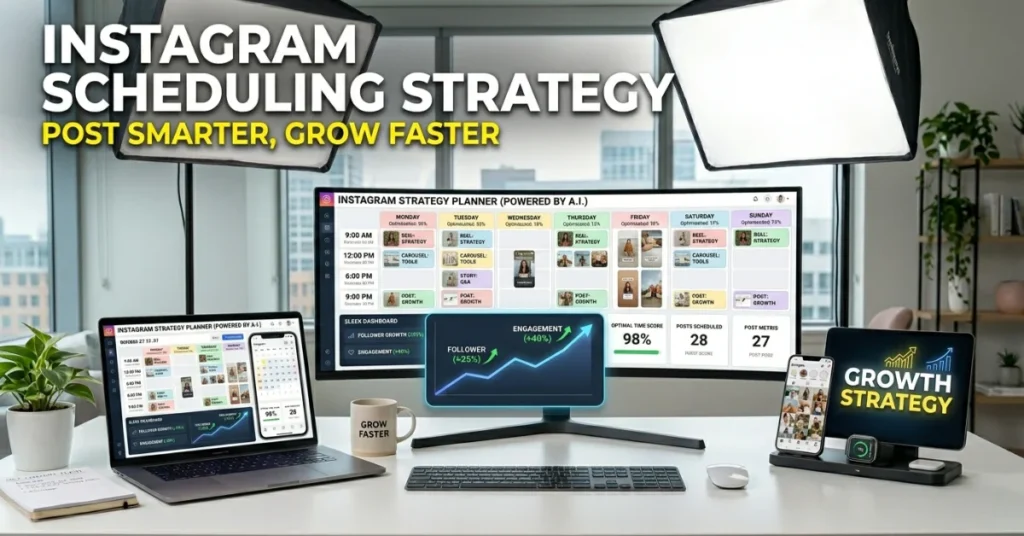
Scheduling is the mechanism. Strategy is what actually drives growth. Here’s how to use scheduling to build a content system that compounds over time.
Best Times to Schedule Instagram Posts (Sprout Social Data)
According to Sprout Social’s 2024–2025 Instagram engagement research, these are the highest-engagement posting windows in the US:
| Day | Best Time to Post | Engagement Level |
| Monday | 11 AM – 1 PM | Above average |
| Tuesday | 9 AM – 12 PM | ⭐ Peak — highest engagement |
| Wednesday | 10 AM – 12 PM | ⭐ Peak — consistently strong |
| Thursday | 9 AM – 11 AM | Above average |
| Friday | 9 AM – 11 AM | Moderate — pre-weekend |
| Saturday | 9 AM – 11 AM | Lower — leisure browsing |
| Sunday | 10 AM – 12 PM | Lowest — plan next week instead |
Important caveat: These are global averages — not your specific audience data. Tools like Sprout Social, SocialBee, and PostQuick.ai analyze your account’s specific engagement history to recommend personalized optimal posting times. Always use your own analytics after 30+ posts to refine timing.
Content Batching – How to Schedule a Full Month in One Session
Content batching is the single most effective time-saving strategy for consistent Instagram growth. Instead of creating and posting daily, you produce all content in one focused session and schedule everything to auto-publish.
How to batch-schedule a full month of Instagram content:
- Week 1 — Planning: Map out your content calendar for the month. Decide post types (Reels, carousels, singles), topics, and target dates
- Week 1 — Creation: Film all videos, shoot all photos, and write all captions in one session. Use Adobe Express or Canva to design all graphics at once
- Week 1 — Scheduling: Upload everything to Later, SocialBee, or Meta Business Suite and schedule each post to its optimal time slot
- Weeks 2–4: Focus 100% on engagement — reply to comments, interact with followers, monitor analytics
As documented by Planable’s content batching guide, creators who batch schedule consistently post 40% more frequently than those who post ad hoc — simply because the friction of daily content creation is eliminated.
Tool recommendation for batching: SocialBee’s category-based scheduling is purpose-built for batching — organize content by type (educational, promotional, entertainment) and let SocialBee rotate through categories automatically.
The 5-3-1 Rule & 80/20 Rule – Scheduling Strategy That Drives Growth
These two frameworks, widely discussed across Linktree’s creator blog and SocialBee’s scheduling guides, give your content calendar structure that balances value and promotion.
The 5-3-1 Rule for Instagram content:
- 5 posts: Pure value — educational, entertaining, or inspirational content with no promotion. Builds trust and saves in your niche
- 3 posts: Soft promotion — behind-the-scenes, testimonials, product features framed as value. Warms the audience without hard selling
- 1 post: Direct promotion — clear CTA, product/service offer, link in bio. Your one hard sell per 9-post cycle
The 80/20 Rule for Instagram:
- 80% of content: Non-promotional — educates, entertains, or inspires your audience
- 20% of content: Promotional — drives sales, sign-ups, or link clicks directly
When you apply the 5-3-1 or 80/20 framework to your scheduling calendar, you build an audience that trusts before it buys. That trust is what converts followers into paying customers.
Instagram Scheduling Mistakes That Kill Your Growth
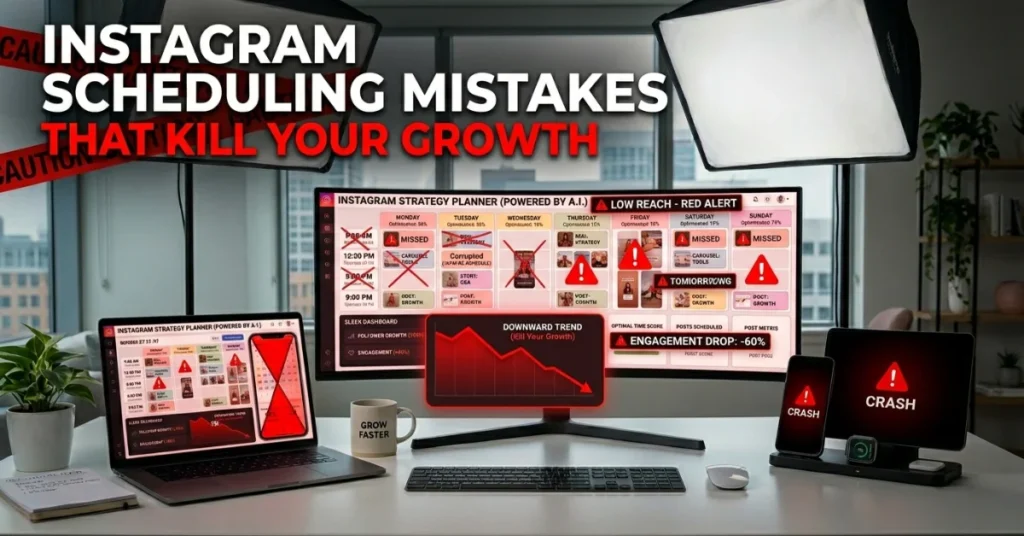
Scheduling incorrectly is worse than not scheduling at all. These are the mistakes that stall account growth — and how to avoid every one of them.
Scheduling Stories Wrong – The Native Limitation Nobody Warns You About
This is the most overlooked scheduling limitation on Instagram. And it catches creators off guard constantly.
Instagram Stories cannot be scheduled via the Instagram app natively. The app’s Advanced Settings only cover feed posts, Reels, and carousels. Stories require either:
- Meta Business Suite on desktop — limited but functional for basic Stories scheduling
- Later — push notification reminder or auto-publish on paid plans
- Sprout Social — full Stories scheduling with preview
- SocialBee — Stories scheduling via mobile app integration
The mistake: Creators schedule their feed posts perfectly but post Stories manually and inconsistently — or skip them entirely. Stories drive direct message volume and close-connection algorithm signals. Neglecting them because of scheduling friction directly limits account reach.
Over-Automation Traps – What Reddit r/InstagramMarketing Warns About
The Reddit r/InstagramMarketing community is vocal about a pattern they call “ghost scheduling” — scheduling posts and then disappearing entirely from engagement.
Over-automation mistakes that kill engagement:
- Scheduling without responding to comments — Instagram’s algorithm rewards accounts that engage back within the first hour of posting
- Using identical captions across platforms — auto-cross-posting from TikTok to Instagram with TikTok watermarks tanks Reels distribution
- Over-hashtagging scheduled posts — more than 10–15 focused hashtags is now considered spam-adjacent by the algorithm
- Scheduling at the wrong time zones — if your audience is on EST and you schedule in PST, your peak times are off by 3 hours
- Set-and-forget mentality — scheduling is not a replacement for active community management. It’s a foundation for it
The balance: Use scheduling to handle content publishing. Use saved time to handle human engagement. That’s the combination that builds accounts that actually grow.
Cross-Platform Scheduling – How to Do Instagram + Facebook + TikTok Together
One of the biggest time multipliers available to content creators in 2025 is cross-platform scheduling — publishing the same content to multiple platforms simultaneously from one interface.
Best tools for cross-platform Instagram scheduling:
- Meta Business Suite — schedules Instagram + Facebook natively. Free. Best starting point for Meta ecosystem brands
- Sprout Social — Instagram + Facebook + Twitter/X + LinkedIn + Pinterest. Most comprehensive cross-platform tool available
- Buffer — Instagram + Facebook + TikTok + LinkedIn + Pinterest. Best value for multi-platform creators on a budget
- Later — Instagram + TikTok + Pinterest + LinkedIn. Strong for visual-first brands managing multiple channels
- SocialBee — Instagram + Facebook + TikTok + Twitter/X + LinkedIn. Best for content recycling across platforms simultaneously
Critical warning on TikTok cross-posting: Do not auto-post TikTok videos to Instagram Reels. Instagram suppresses Reels with TikTok watermarks in the Explore feed. Always download your TikTok without a watermark (use SnapTik or similar) before scheduling to Instagram. This single step dramatically improves Reels’ reach.
FAQs – How to Schedule Posts on Instagram 2026
Is it possible to schedule posts on Instagram?
Yes — Instagram natively supports post scheduling for Business and Creator accounts. You can schedule feed posts, Reels, and carousels up to 75 days in advance directly in the Instagram app via Advanced Settings, or through Meta Business Suite on desktop. Stories scheduling requires the Meta Business Suite or a third-party tool. Third-party tools like Later, Sprout Social, SocialBee, and Buffer offer additional features, including analytics, team collaboration, and AI timing.
Why can’t I schedule posts on Instagram?
The most common reason: you’re using a Personal account, not a Professional one. Instagram’s native scheduling feature is only available to Business and Creator accounts. Go to Settings → Account → Switch to Professional Account — it’s free. Other reasons include: outdated app version (update Instagram in your app store), using an unsupported region, or attempting to schedule content types that don’t support scheduling — like Instagram Live or Broadcast Channels.
Where did the schedule post button go on Instagram?
The schedule button is inside “Advanced Settings” on the final post creation screen — it’s not prominently labeled as “Schedule.” After editing your post and writing your caption, tap “Advanced Settings” at the bottom of the screen. You’ll see “Schedule This Post” as a toggle. If it’s not showing, your account is a Personal account — switch to Professional in Settings to unlock it. For desktop scheduling, use Meta Business Suite at business.facebook.com.
What is the 5-3-1 rule on Instagram?
The 5-3-1 rule is a content ratio framework for Instagram posting. For every 9 posts: 5 are pure value (educational, entertaining, inspirational — no promotion), 3 are soft promotion (behind-the-scenes, testimonials, product features framed as value), and 1 is direct promotion (clear call-to-action, sales offer, link in bio). This framework, popularized across SocialBee and Linktree’s creator content guides, builds audience trust before asking for purchases — which consistently produces higher conversion rates than promotional-heavy accounts.
How many followers on Instagram do you need to make $1,000 per month?
The follower count needed depends on your monetization method: With brand sponsorships, 10,000–50,000 highly engaged followers in a niche can generate $1,000+/month. With affiliate marketing, 5,000–15,000 followers with strong niche authority can hit $1,000/month. With digital products or services, even 1,000–3,000 followers can generate $1,000/month if the offer is right. The key metric isn’t follower count — it’s engagement rate and niche specificity. A 5,000-follower food account with 8% engagement outearns a 50,000-follower general account with 0.5% engagement every time.
What is the 80/20 rule on Instagram?
The 80/20 rule on Instagram means 80% of your content should provide value — educating, entertaining, or inspiring your audience — and 20% can be promotional, directly driving sales or sign-ups. This principle, referenced across Later’s blog and Sprout Social’s content strategy guides, prevents audience fatigue from over-promotion. When applied to your content calendar scheduling, it means: for every 10 scheduled posts, 8 build trust and 2 ask for action. Accounts that follow this ratio consistently see higher retention and stronger organic growth.
Conclusion:
Knowing how to schedule posts on Instagram is one of the highest-leverage skills for any creator or brand in 2025. Native scheduling via the Instagram app covers the basics for free. Tools like Later, SocialBee, Sprout Social, and Planable unlock team workflows, AI timing, and cross-platform efficiency.
Start with the Instagram app’s native scheduler if you’re beginning. Apply the 5-3-1 or 80/20 content framework to your scheduled calendar. Batch your content once a week or month. And use the time you save engaging with your audience — because that’s what the algorithm rewards most.