Your thumbnail is the first thing viewers see. It decides whether they click — or scroll past.
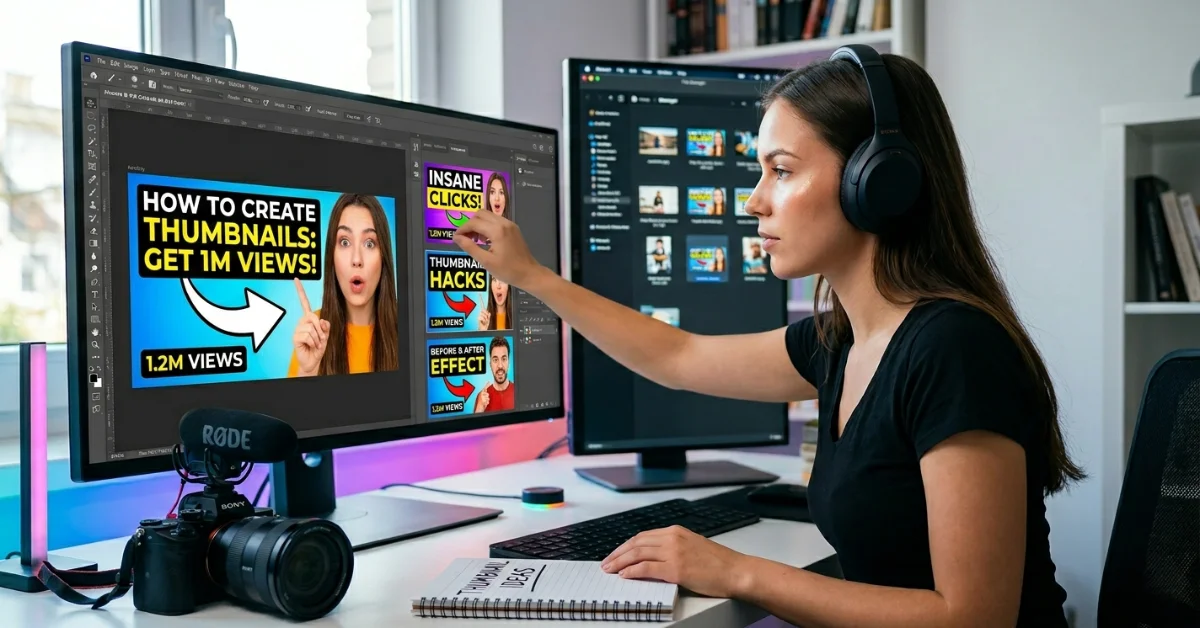
According to YouTube, 90% of the best-performing videos on the platform use custom thumbnails. That number alone tells you everything. This guide covers the science, tools, and step-by-step process for creating viral YouTube thumbnails that drive real clicks, real views, and real channel growth — including strategies and tools that most creators never discover.
What Makes a Thumbnail Go Viral? (The Science Behind High CTR)
A viral thumbnail isn’t an accident. It’s the result of deliberate design choices rooted in viewer psychology, platform behavior, and click-through rate data. Understanding the science first makes everything else faster and more effective.
The 7-Second Rule – Why Your Thumbnail Decides Everything Before the Video Plays
The 7-second rule on YouTube is simple: viewers decide within 7 seconds of landing on a search result or feed whether to click your video — or keep scrolling. Your thumbnail and title do all the heavy lifting in that window. The video itself hasn’t played a single frame.
This means your thumbnail must communicate value instantly. No complexity. No cluttered design. One clear message, one strong visual, and one reason to click — all readable in under 2 seconds.
For more info: How to Build Credit Score Fast – Improve Your Score Quickly
What the 7-second window demands from your thumbnail:
- Instant visual hierarchy — the most important element dominates immediately
- Legible text at mobile size — over 70% of YouTube views happen on mobile (YouTube data)
- Emotional signal — curiosity, surprise, excitement, or urgency
- Brand recognition — returning subscribers recognize your style without reading your name
As documented by the Reddit r/NewTubers community, most small channels lose clicks not because their videos are weak, but because their thumbnails don’t communicate fast enough.
Five Design Elements That Drive Click-Through Rate (VidIQ Data-Backed)
VidIQ’s channel analytics research identifies five thumbnail elements that consistently correlate with higher CTR across YouTube niches:
| Design Element | CTR Impact | Implementation Tip |
| Human face with emotion | Up to 38% higher CTR | Use close-up, fill the frame, show genuine emotion |
| High contrast colors | Significant visibility boost | Yellow, red, and orange stand out in the YouTube feed |
| Bold readable text (3-5 words) | Faster comprehension | Large font, contrasting color, never more than 5 words |
| Clear focal point | Reduces decision fatigue | One subject dominates — no competing elements |
| Curiosity gap visual | Drives compulsive clicking | Show the problem or outcome, not the answer |
The face CTR advantage is real: VidIQ data consistently shows that thumbnails featuring human faces with visible emotions outperform faceless designs — particularly in lifestyle, vlog, and commentary niches. The brain processes faces faster than any other visual element.
Niche-Specific Thumbnail Psychology – Gaming vs. Finance vs. Tech vs. Vlog
There is no universal thumbnail formula. What works for a gaming channel actively hurts a finance channel — and vice versa. Understanding your niche’s visual language is critical.
| YouTube Niche | Thumbnail Style That Works | What to Avoid |
| Gaming | Action stills, character close-ups, explosive color | Talking heads, text-heavy designs |
| Finance / Business | Clean text, charts, professional face | Cluttered visuals, overly casual design |
| Tech Reviews | Product hero shot + face reaction | Stock photos, generic backgrounds |
| Vlog / Lifestyle | Authentic emotion, real locations, storytelling | Over-produced or staged images |
| Tutorial / How-To | Before/after split, outcome visual, numbered steps | Abstract concepts with no clear result |
| News / Commentary | Reaction face + subject visual, bold text | Neutral expressions, small text |
Key insight: Study your top 10 competing channels in your niche. Identify their thumbnail patterns. Then deliberately stand out within that pattern — not against it. Viewers recognize niche visual language subconsciously. Deviation without purpose confuses the algorithm and the audience.
Best Thumbnail Maker Tools – Free & AI-Powered Compared
The right tool depends on your skill level, budget, and workflow speed. Here’s the complete honest breakdown of every major thumbnail maker tool — including the ones most guides ignore.
Canva & Adobe Express – Best for Beginners & Brand Consistency
Canva (canva.com/create/youtube-thumbnails):
- Best for: Beginners, small channels, teams with brand kits
- Key features: 1,000+ YouTube thumbnail templates, Canva AI image generator (canva.com/ai-thumbnail-maker), drag-and-drop editor, brand kit for consistent colors and fonts
- Free plan: Generous — most templates and features accessible without payment
- Unique advantage: Brand Kit feature ensures every thumbnail matches your channel’s visual identity automatically
- Mobile app: Full thumbnail creation on iOS and Android
Adobe Express (adobe.com/express/create/thumbnail/youtube):
- Best for: Creators who want professional-grade design quality without Photoshop complexity
- Key features: Adobe Firefly AI integration for image generation, premium template library, brand asset management
- Free plan: Available with watermark removal on the paid tier
- Unique advantage: Direct integration with Adobe’s creative ecosystem — if you use Premiere Pro or Photoshop, assets transfer seamlessly
Canva vs. Adobe Express verdict: Canva wins for beginners and consistency. Adobe Express wins for quality and creative ecosystem integration. Both are free to start — try both before committing.
VidIQ, Opus Pro & ThumbMagic – Best for YouTube-Specific CTR Optimization
VidIQ (vidiq.com/youtube-thumbnail-maker):
- Best for: Data-driven creators focused on CTR improvement
- Key features: Thumbnail maker + channel analytics integration, A/B testing capability, CTR benchmarking against niche competitors
- Unique advantage: VidIQ connects thumbnail performance directly to your channel data — no other tool does this. You see which thumbnails drove views, not just clicks
- Pricing: Freemium model; advanced analytics on paid plan
Opus Pro (clip.opus.pro/tools/youtube-thumbnail-maker):
- Best for: Creators repurposing long-form video into clips and thumbnails
- Key features: AI video-to-thumbnail extraction — automatically pulls the highest-impact frame from your video as a thumbnail base
- Unique advantage: Eliminates thumbnail creation from scratch — AI analyzes your footage and selects optimal moments
- Best use case: Podcasters, long-form educators, interview channels
ThumbMagic (thumbmagic.co):
- Best for: Creators who want a thumbnail-specialized tool without general design software overhead
- Key features: Fast generation, YouTube-optimized templates, simple interface
- Unique advantage: Purpose-built for thumbnails only — zero learning curve, faster than Canva for experienced creators who know what they want
ChatGPT Thumbnail Maker 4.0 & fraigo – Best Free & AI-First Options
These are the two tools most guides completely ignore — and they’re genuinely valuable for specific creator types.
ChatGPT Thumbnail Maker 4.0 (chatgpt.com/g/g-flgCdvoVQ-thumbnail-maker-4-0):
- Best for: Creators who think in concepts and want AI to generate thumbnail ideas from text prompts
- How it works: You describe your video concept in plain language. The GPT generates thumbnail concept ideas, text overlays, and composition suggestions
- Unique advantage: Ideation speed — generate 10 thumbnail concepts in minutes before designing anything. Eliminates creative block
- Best used as: A brainstorming layer before moving to Canva or Adobe for final design
- Cost: Requires ChatGPT Plus subscription ($20/month)
fraigo GitHub Thumbnail Generator (fraigo.github.io/online-video-thumbnail-generator):
- Best for: Technical creators and developers who want zero-cost, no-account, browser-based thumbnail extraction
- How it works: Upload a video file — the tool extracts frames as thumbnail candidates instantly
- Unique advantage: Completely free, no signup, no watermark — open-source tool built by developer Fraigo
- Best use case: Extracting a specific frame from existing footage as a thumbnail starting point
- Limitation: No design features — frame extraction only. Combine with Canva for text and design overlay
How to Make a YouTube Thumbnail Step-by-Step (From Scratch)
Here’s the complete process from technical specifications to live upload.
Official YouTube Thumbnail Specs – Size, Format & File Requirements
Before designing anything, get the specs right. A thumbnail built to the wrong dimensions wastes all your design effort. These are YouTube’s official requirements from the YouTube Help Center:
| Spec | Requirement | Why It Matters |
| Resolution | 1280 x 720 pixels | Displays sharply on all screens including 4K TVs |
| Minimum width | 640 pixels | Below this, YouTube rejects the upload |
| Aspect ratio | 16:9 | Matches YouTube player exactly — no cropping |
| File size | Under 2MB | Over 2MB = upload rejected, no error warning |
| File formats | JPG, PNG, GIF, BMP | PNG recommended for transparency and quality |
| Account requirement | Phone-verified account | Displays sharply on all screens, including 4K TVs |
Always design at 1280x720px — it’s the sweet spot between file size and quality. Export as PNG for the sharpest result, then check the file size before uploading. 2MB fills up fast with high-resolution images.
Design a High-Click Thumbnail in Canva – Exact Steps
Canva is the most widely used thumbnail design tool among creators at every level. Here’s the exact workflow:
- Go to canva.com/create/youtube-thumbnails and click “Create a YouTube Thumbnail.”
- Set canvas size to 1280 x 720 pixels — Canva’s YouTube template is pre-set to this
- Choose a template as a starting point — or start blank for full control
- Upload your subject photo — face, product, or key visual element
- Apply background removal (Canva Pro) to place the subject cleanly over a custom background
- Add 3–5 words of bold text in high-contrast color — test readability at thumbnail size (thumbnail preview button)
- Add a colored shape or border to frame key elements and direct the viewer’s eye
- Check the thumbnail at a small preview size — click the thumbnail preview icon in Canva to see the mobile view
- Download as PNG at maximum quality — check file size is under 2MB
Canva AI thumbnail shortcut: At canva.com/ai-thumbnail-maker, describe your video topic in one sentence. Canva’s AI generates a complete thumbnail concept you can then edit. Fastest path from zero to a working design — under 3 minutes.
How to Upload a Custom Thumbnail in YouTube Studio
Designed your thumbnail? Here’s exactly how to upload it:
- Go to studio.youtube.com and sign in
- Click “Content” in the left sidebar
- Find your video and click the edit pencil icon
- In the “Thumbnail” section, click “Upload Thumbnail.”
- Select your PNG or JPG file — under 2MB
- Click “Save” — thumbnail goes live within minutes
Critical — account verification required: If you don’t see the “Upload Thumbnail” option, your account is not yet verified. Go to youtube.com/verify and complete phone verification. This is the most common reason new creators can’t upload custom thumbnails. Verification takes 5 minutes but is required before any custom thumbnail can be uploaded.
Viral Thumbnails Design Secrets
These are the techniques that separate channels that grow from channels that plateau. None of these appear in standard thumbnail guides.
The Curiosity Gap Technique – How Top Creators Hook Viewers Before One Click
The curiosity gap is the psychological space between what the viewer knows and what they want to know. A thumbnail that exploits this gap makes clicking feel involuntary.
How the curiosity gap works in thumbnail design:
- Show the outcome, hide the method — “This made me $10,000” with a face of disbelief. The viewer must click to find out how
- Show a problem in progress — a before state that looks wrong. Curiosity demands resolution
- Juxtapose two unexpected elements — a luxury car next to a studio apartment. The mismatch creates a question
- Incomplete visual — an arrow pointing off-screen, a covered object, a blurred reveal. The brain demands completion
Curiosity gap examples from top-performing channels:
- “I Wore This Every Day for a Year” — thumbnail shows the item but not the result
- “Everyone Told Me Not to Do This” — thumbnail shows confident action despite implied warning
- “The $1 vs $1,000 Challenge” — visual contrast creates an immediate question
The rule: If your thumbnail answers the question it asks, there’s no reason to click. Tease the information. Don’t give it away.
A/B Testing Thumbnails – The Highest-ROI Strategy Nobody Talks About
This is the single highest-ROI thumbnail strategy available to creators.
A/B testing thumbnails means running two different thumbnail designs for the same video and measuring which generates higher CTR over time. The winner becomes permanent. The loser is retired.
How to A/B test thumbnails on YouTube:
- Native YouTube method: YouTube Studio now offers “Test and Compare” in YouTube Studio for eligible channels — upload two thumbnails, and YouTube splits traffic automatically
- VidIQ method: VidIQ’s thumbnail A/B testing feature tracks CTR changes when you manually swap thumbnails at specific intervals
- Manual testing: Upload Thumbnail A, record 48-hour CTR. Swap to Thumbnail B, record the next 48-hour CTR. Keep whichever outperforms by 15%+ or more
The data: VidIQ research shows that channels actively A/B testing thumbnails see 20–40% higher average CTR over 6 months compared to channels using a single permanent thumbnail. Most creators never change their thumbnails after publishing. That’s a perpetual CTR tax.
Thumbnail Consistency as Channel Brand – The Long-Game Strategy
Every top YouTube channel has a recognizable thumbnail signature — a consistent visual style that makes their content instantly identifiable in the feed before anyone reads the title.
Elements that build thumbnail brand consistency:
- Color palette — use 2–3 signature colors across every thumbnail. MrBeast uses black + bold text. Finance channels often use navy + gold
- Font pair — use the same 1–2 fonts across all thumbnails. Viewers start recognizing your typography subconsciously
- Composition style — face always left, text always right, or consistent layout template
- Border or frame — a consistent border style makes thumbnails pop from competitors in the feed
- Logo/watermark placement — small channel logo in the same corner always
Why this matters for growth: When viewers see your thumbnail in Suggested Videos, brand consistency makes them more likely to click even without reading the title — they recognize your channel’s visual identity. This is how large channels accelerate returning viewer clicks. Use Canva’s Brand Kit or Adobe Express’s brand assets to enforce consistency automatically.
Thumbnail Mistakes That Kill Your CTR – And How to Fix Them
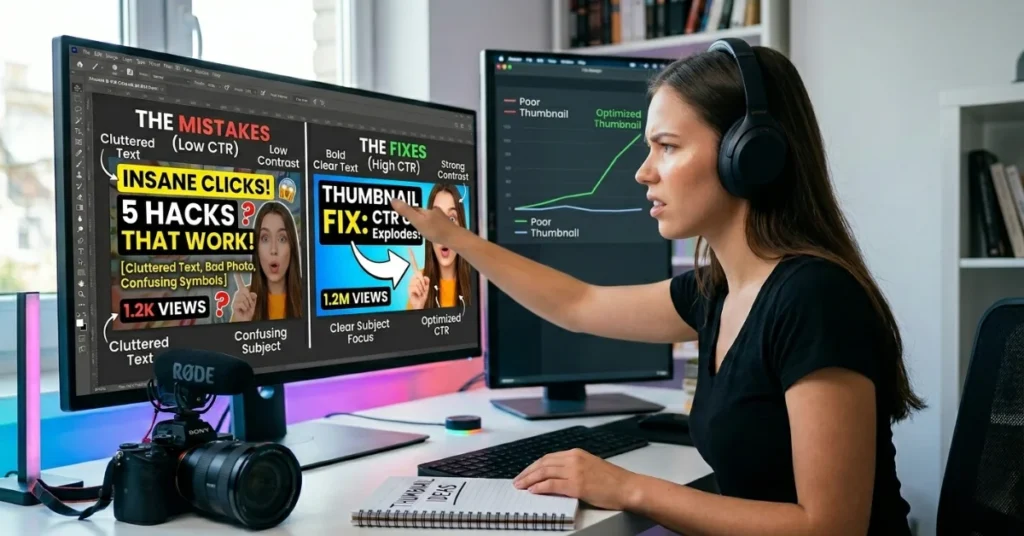
These are the errors that silently destroy channel growth. Most creators commit them without realizing, and the algorithm penalizes them quietly through reduced suggested placement.
Account Verification Trap – Why New Creators Can’t Upload Custom Thumbnails
This is the most common frustration for new YouTube creators — and the least-covered topic in thumbnail guides.
When you first create a YouTube channel, custom thumbnail upload is disabled by default. You must verify your account with a phone number at youtube.com/verify before the option appears in YouTube Studio.
Step-by-step to unlock custom thumbnails:
- Go to youtube.com/verify
- Choose “Receive a verification code by text.”
- Enter your phone number and receive the code
- Enter the code — account is now verified
- Return to YouTube Studio — “Upload Thumbnail” option now appears in video editing
Important: Verification also unlocks videos longer than 15 minutes, live streaming, and appeals. Do this before you publish your first video — not after. Many creators publish videos with auto-selected thumbnails because they didn’t verify first, and then they can’t figure out why their CTR is terrible.
Clickbait Thumbnails – Why They Destroy Long-Term Channel Growth
Clickbait thumbnails get clicks. But they destroy the metrics that matter most — watch time, audience retention, and return viewer rate.
What happens when your thumbnail overpromises:
- Viewers click, realize the video doesn’t match, and leave within 30 seconds
- High bounce rate signals low quality to the YouTube algorithm
- YouTube reduces suggested placement for videos with low retention rates
- Viewers feel deceived — they don’t return to your channel
- Channel authority drops despite initial view spike
The r/NewTubers community rule on this is clear: A clickbait view spike is a “sugar high” — it feels good for 24 hours and costs you weeks of recovery in algorithmic trust. Your thumbnail should accurately represent the best moment in your video — not fabricate a moment that doesn’t exist.
The test: Before publishing, ask — “Does my video deliver what this thumbnail promises?” If the answer is anything less than a clear yes, redesign the thumbnail.
Reddit r/NewTubers – Real Creator Mistakes & What Actually Works
The Reddit r/NewTubers community is one of the most honest sources of thumbnail feedback on the internet. Here’s what experienced creators consistently report:
Most common thumbnail mistakes documented by r/NewTubers:
- Too much text — paragraphs or full sentences on thumbnails. Viewers read 3–5 words maximum at thumbnail size
- Low contrast — light text on light background, dark text on dark background. Always check in grayscale to test contrast before publishing
- Generic stock imagery — shutterstock-style images signal low-effort content. Real photography or AI-generated original images always outperform
- Not checking mobile view — design looks great on desktop, unreadable on phone. Always preview at a 120×90 pixel thumbnail size before finalizing
- Inconsistent style — every thumbnail looks different. Viewers can’t build visual recognition of your channel
- Face cut off or too small — face must fill at least 40% of the thumbnail to leverage the face-CTR advantage
What r/NewTubers says actually works:
- Simple design with one dominant element — one face or one hero image
- Color that stands out in your niche — study top channels and pick a contrasting color
- Thumbnail + title working together — thumbnail shows the what, title shows the why
- Genuine emotional expression — not forced or exaggerated, but real and readable
FAQs – How to Create Viral Thumbnails 2025
How do I create a thumbnail image?
To create a YouTube thumbnail, go to canva.com/create/youtube-thumbnails or adobe.com/express/create/thumbnail/youtube. Set your canvas to 1280 x 720 pixels (16:9 ratio). Add your subject image — preferably a face with emotion. Add 3–5 words of bold high-contrast text. Apply a strong background color or image. Export as PNG under 2MB. Upload via YouTube Studio in the video edit panel under “Thumbnail”. Your account must be phone-verified at youtube.com/verify before the upload option appears.
What do most people use to make thumbnails?
According to creator community data, Canva is the most widely used thumbnail design tool among YouTubers — particularly beginners and mid-size channels. Adobe Photoshop is the choice for professional designers and large channels with dedicated editors. Adobe Express is growing rapidly for creators who want premium quality without Photoshop complexity. VidIQ’s thumbnail maker is popular among data-driven creators tracking CTR. Tools like Visme, ThumbMagic, and Opus Pro serve specific creator workflow needs. Canva remains the default starting tool for the majority of YouTube creators globally.
Can ChatGPT create thumbnails?
Yes — ChatGPT can generate thumbnail concepts and designs through the ChatGPT Thumbnail Maker 4.0 tool at chatgpt.com/g/g-flgCdvoVQ-thumbnail-maker-4-0. You describe your video concept in plain language, and the AI generates thumbnail ideas, composition layouts, text suggestions, and color palette options. ChatGPT’s image generation (via DALL-E) can also create background visuals and graphic elements that you then bring into Canva or Adobe for final assembly. Requires ChatGPT Plus ($20/month). Best used as an ideation and concept tool — not a final production tool.
How do YouTubers create their thumbnails?
Professional YouTubers typically follow a 3-stage thumbnail process: Stage 1 — Concept: Identify the key visual hook from the video. Use ChatGPT Thumbnail Maker or Opus Pro to generate ideas. Stage 2 — Design: Build in Canva, Adobe Express, or Photoshop using the brand’s template. Stage 3 — Test: Upload to YouTube Studio. A/B test via VidIQ or YouTube’s native test feature. Large channels (500K+ subscribers) typically have dedicated thumbnail designers who follow strict brand guidelines. Small channels use Canva with saved brand kits for consistency.
Which app is best to make YouTube thumbnails?
The best app for YouTube thumbnails depends on your level and needs: Beginners: Canva — easiest interface, best template library, free plan generous. Quality-focused creators: Adobe Express — professional results, Firefly AI, premium templates. Data-driven creators: VidIQ — CTR analytics integrated with design. AI-first creators: ChatGPT Thumbnail Maker 4.0 — concept generation and AI imagery. Zero budget: fraigo GitHub tool — completely free, no account, no watermark. Video-first workflow: Opus Pro — extracts the best frame from your video automatically. For most creators, Canva is the right starting point and the tool to grow with.
What is the 7-second rule on YouTube?
The 7-second rule on YouTube refers to the window of time a viewer spends deciding whether to click a video when browsing the feed, search results, or suggested videos. Within approximately 7 seconds, the viewer’s eye scans the thumbnail and title and makes a click or scroll decision. This means your thumbnail must communicate its value proposition in under 2 seconds of viewing time — before any reading occurs. The rule underscores why visual clarity, contrast, and one strong focal point are more important than complex or detailed designs. A thumbnail that requires more than 2 seconds to understand has already lost the click.
Conclusion:
Creating viral thumbnails is a learnable, testable skill — not luck or talent. Start with Canva or Adobe Express, follow the 1280x720px spec, apply the curiosity gap and 3–5 word rule, verify your account, and A/B test every upload.
The creators winning on YouTube in 2025 treat thumbnails as the most important frame in their entire video — because it is. Design intentionally. Test consistently. And let your CTR data tell you what works.